AIAI learning environment · Free sample course

AI Agent Basics

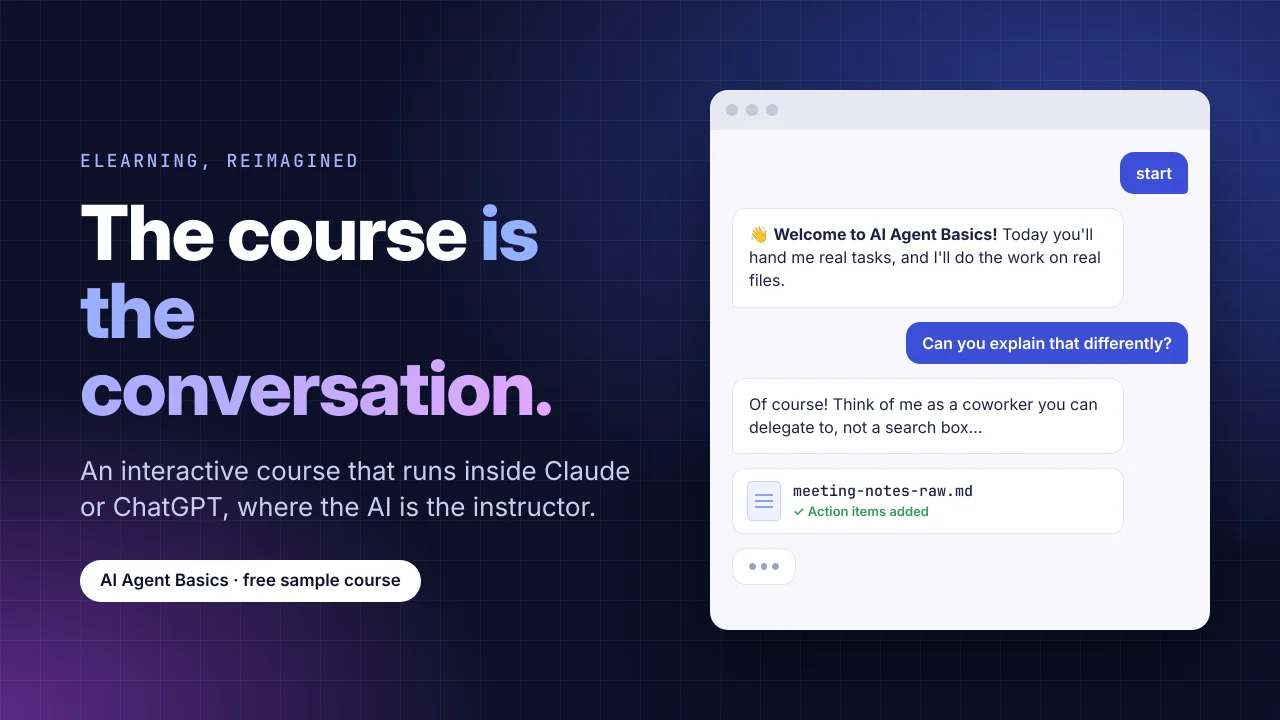
A free course that runs entirely inside Claude or ChatGPT, where the AI is the instructor. The full course takes about an hour, but five minutes is enough to get a feel for it.

The course is the conversation: AI Agent Basics, an interactive course that runs inside Claude or ChatGPT

Try it yourself

About 2 minutes to set up

1

Download and unzip

Everything lives in one free download, ai-agent-basics.zip: the instructor’s script and the practice files.

2

Open Claude or ChatGPT

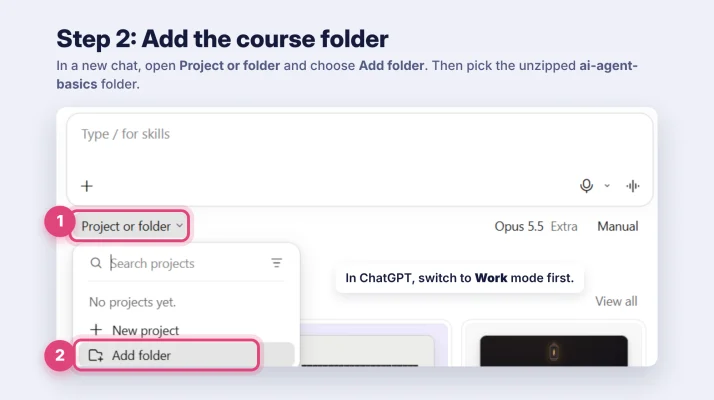
On your desktop, start a new chat, click Add folder and choose the unzipped folder (in ChatGPT, switch to Work mode first). In a browser? Drag the zip into any chat instead.

3

Type “start”

That’s it. The instructor takes it from there.

Step 2: in a new chat, open Project or folder, choose Add folder, then pick the unzipped ai-agent-basics folder

Step 2 up close: adding the course folder in Claude.

The idea

The LLM is the new eLearning environment

eLearning has always had one big weakness: no instructor. When a learner gets confused, there’s no one to ask. They click Next and hope it makes sense later.

Here, the AI is the instructor. It walks the learner through the material step by step, like a typical course. But when they’re stuck, they can just ask: “Can you explain that differently?” or “What would this look like in my job?” The instructor answers, then picks up where they left off.

I still design the experience: the objectives, the sequence, the practice, the checks for understanding. The difference is that I’m writing for an instructor who can hold a real conversation, instead of building a slide deck that can’t.

Inside the course

An agent, not a chatbot

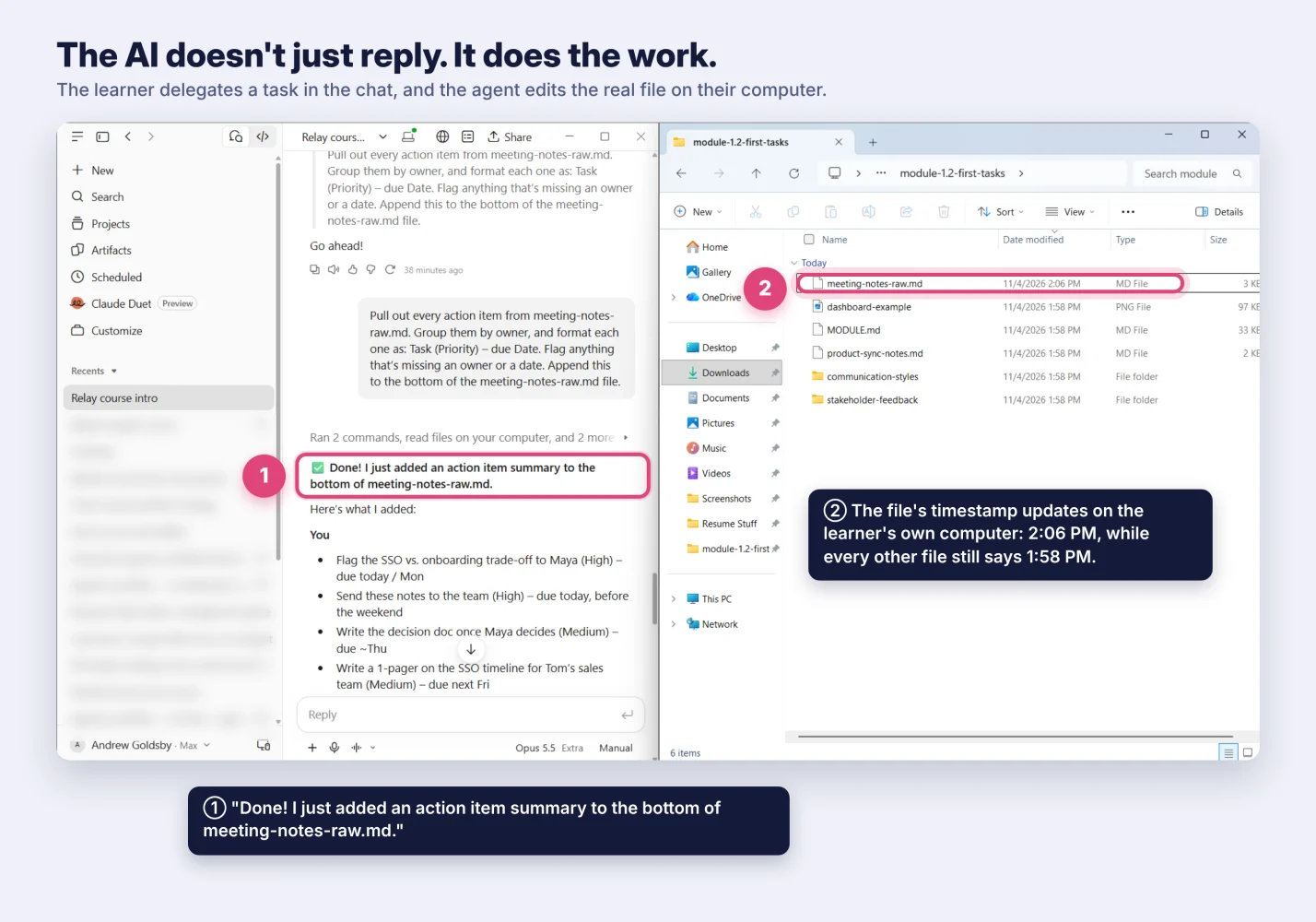
The topic is the method itself. Instead of watching a demo of an AI agent, learners delegate real tasks to one and watch it update the course files on their own computer.

Annotated screenshot: the AI confirms it added an action item summary, and the meeting notes file updates on the learner's computer

Scenario 1 in Claude: the learner delegates a task in the chat, and the agent edits the real file on their computer.

Course map

Two modules, five real-work scenarios

Learners step into the role of a project manager at Relay, a fictional software company, and work through tasks anyone in knowledge work will recognize.

1.1 Welcome & Orientation

~15 min

Meet Relay, learn the difference between a chatbot and an agent, and get comfortable talking to the AI in plain English.

1.2 First Tasks

~45–75 min
  1. End-of-day processing. Turn messy meeting notes into organized action items, saved right into the notes file.
  2. Stakeholder feedback synthesis. Read a folder of feedback from eight colleagues and write up the themes and tensions.
  3. Communication transformation. Turn the findings into an executive email, a project doc and a Slack update.
  4. Dashboard analysis. Read a chart-filled image and write up talking points.
  5. Web search for solutions. Research proven approaches online and save a sourced report.

LLM environment engineering

What I engineered

The course has no slides and no video. Everything the learner experiences comes from how the AI’s environment is designed.

An instructor script the AI follows

Say, Check and Action markers keep the model on script, one step at a time. It stops at every Check, so the learner sets the pace.

Guardrails against chatbot habits

Hard rules: really write files to disk, never invent file contents, no behind-the-scenes commentary, and web search only when the lesson calls for it.

One course, two apps

A single instruction file read by both Claude and ChatGPT, with app-aware wording so directions always match the screen in front of the learner.

Two ways to open it

The AI works out whether the learner opened a folder or uploaded a zip, then adapts every step: live edits to their own files, or downloads.

A believable practice world

Relay comes with its own OKRs, personas, stakeholders and deliberately messy files, so every task feels like real work.

Built-in support

Learners can type help, where am I, skip or restart at any time, and answer keys let the AI check its own work.

Under the hood

A whole company in a zip file

No slides, no LMS, no video. The entire course is a handful of text files: the instructor’s script, a fictional company’s background, and the messy, realistic work learners hand to the agent.

ai-agent-basics/
├─ AGENTS.md · CLAUDE.md (the instructor’s script)
├─ README.md
├─ company-context/
│  ├─ COMPANY.md · PRODUCT.md
│  └─ PERSONAS.md · COMPETITIVE.md
└─ lesson-modules/
   ├─ module-1.1-welcome/
   └─ module-1.2-first-tasks/
      ├─ meeting-notes-raw.md
      ├─ stakeholder-feedback/ (8 files)
      ├─ communication-styles/ (3 files)
      └─ dashboard-example.png

Learning content

More work

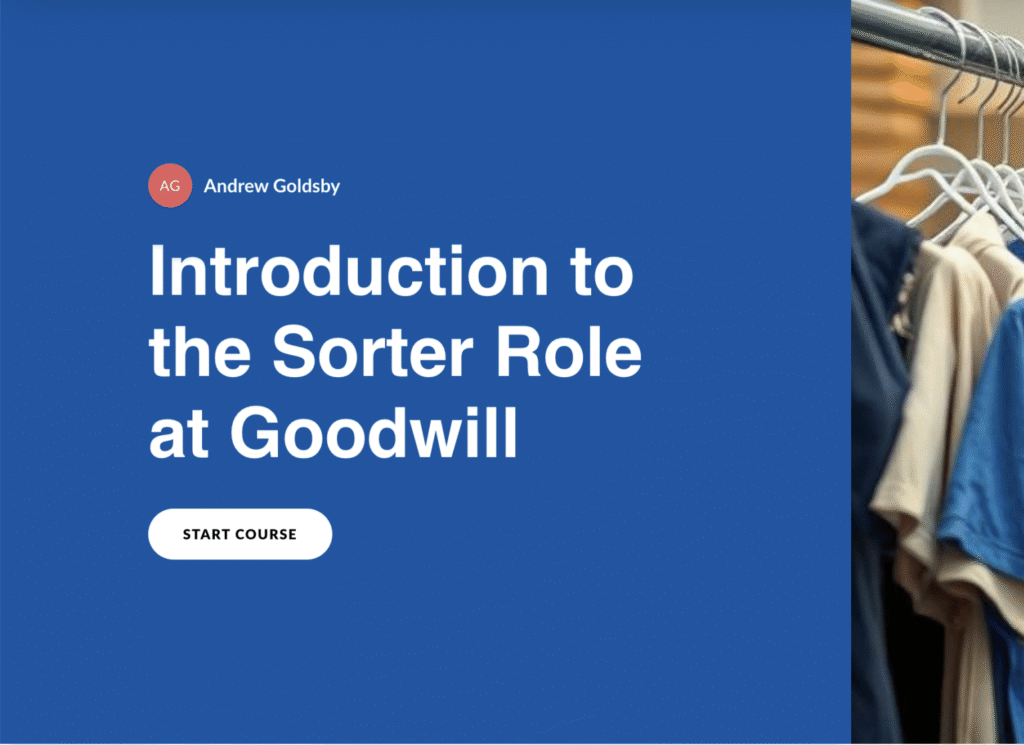
Introduction to the Sorter Role at Goodwill course title screen

eLearning

Introduction to the Sorter Role at Goodwill

View project
The Journey of Your Donations animated training video

Animated Video

The Journey of Your Donations

View project

What would you build with this?

Try the course, then tell me where it shines and where it falls short. If you want something like it for your team, let’s talk.